![59b7eb52c29cb1fb87e1bba7bf1ef88c41152899.png]](https://help.remesh.ai/hs-fs/hubfs/59b7eb52c29cb1fb87e1bba7bf1ef88c41152899.png?height=40&name=59b7eb52c29cb1fb87e1bba7bf1ef88c41152899.png)
This article is relevant to our Live and Flex Conversations. You can find more information about our product offerings here. For more information about Video analysis, please reference this document.
Overview
A strong analysis strategy starts broad, then becomes more focused. This approach helps you quickly understand what matters most in your data before digging deeper.
In Remesh, we recommend starting with Remy, then using additional analysis tools to validate and expand your findings, and finally exporting visuals to share your insights.
Included in this Article
- Start with Your Research Question
- Chat With Remy
- Use Additional Analysis Tools to Go Deeper
- Export Visuals to Tell the Story
- What's Next?
It may be helpful to familiarize yourself with the metrics that Remesh uses in our analysis suite before diving into your analysis!
Start with Your Research Question
Before jumping into analysis, take a moment to ground yourself in your research question.
Your research question should guide how you explore your data, what you prioritize, and how you interpret findings. Without that anchor, it’s easy to focus on interesting details that don’t actually support your goals.
As you move through your analysis, keep asking:
- What am I trying to learn?
- Does this insight help answer my research question?
- What information is most relevant to my objective?
Starting with this clarity makes it easier to move from broad exploration to focused insights, and ensures your final findings are aligned with what matters most.
Chat with Remy
Begin your analysis with Remy to quickly identify themes, patterns, and key takeaways.
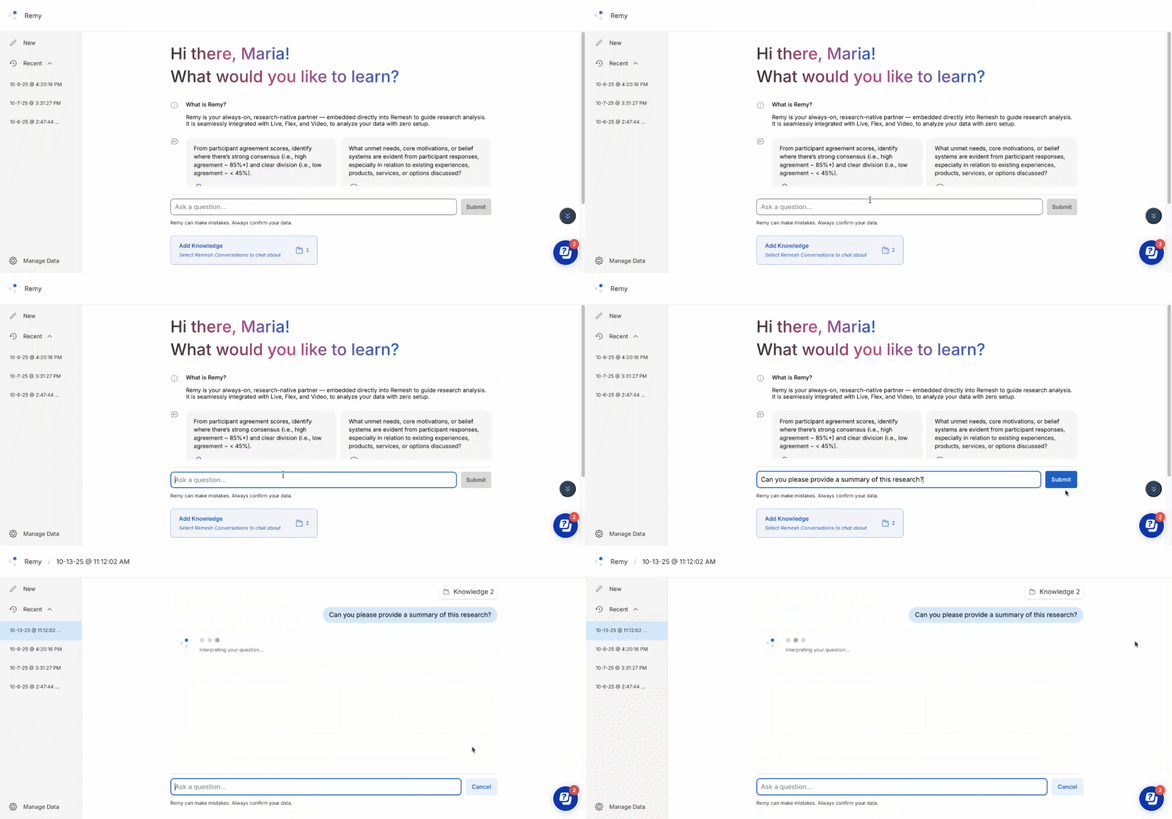
Start with broad prompts to get an overall understanding:
- “What are the main themes in these responses?”
- “What are participants generally saying about this topic?”
Then move into more specific prompts:
- “What are the top positive and negative sentiments?”
- “What segment expressed the most negative sentiment?"
- “How do opinions differ across segments?”
This progression helps you move from discovery to clarity without missing important context. Find more information about using Remy for analysis here.
Use Additional Analysis Tools to Go Deeper
Once you have a direction, use other analysis features to support and refine your findings. You might find an opportunity to dive into a specific question's analysis via Remy's citations or identify a need on your own.
Depending on your goal, you might:
- Review Auto Code categories to validate themes
- Compare how participants responded to similar polls through Poll Comparison
- Compare segments side by side in Results
Export Visuals to Tell the Story
After completing your analysis, export visuals to clearly communicate your findings. Visual exports are found predominantly within the Results page, and starting April 20th you will be able to generate visuals in Remy as well. Clear visuals make it easier for others to understand and act on your research.
What’s Next?
For more detailed guidance on each step, explore our full library of analysis feature articles.